How To Install OS X Leopard 10.5 On PowerPC (PPC)

If you need to install Mac Os X Leopard on your PowerPC that does not meet all the requirements, you can use this leopard assist tool to temporarily fool the system. You still need your own 10.5 Install Disc.

Download the tool here: LeopardAssist.app

Perhaps LeopardAssist looks a little basic on the surface. A few clicks of the mouse is all LeopardAssist needs to configure your machine for installation, from the processor to the drives – all without requiring any manual editing of files or burning of additional discs.

Extensively Tested.

LeopardAssist has several years of testing to its name, across most models and series of PowerPC Mac, and even today it continues to receive feedback and feature requests for consideration. In addition, developments and information gathered in the improvement of LeopardAssist have assisted in helping other Mac related projects on both PowerPC and Intel.

Widely Supported.

LeopardAssist is widely used and supported across many specialist Mac communities, such as the ThinkClassic Vintage Apple community ( thinkclassic.org ) and the MacRumors PowerPC Macs Forum ( forums.macrumors.com ). Any questions related to the use, care and maintenance of your PowerPC based Mac and the installation of OS X Leopard can be directed to one of these communities.

Source – http://leopardassist.sourceforge.net

How To Survive in Sony’s Until Dawn

Great tips on how to survive in Until Dawn for PS4 by Dean Takahashi on VentureBeat.com.

screen-shot-2016-10-09-at-9-15-56-pm

Tips on how to save, or lose, all eight characters in Until Dawn

Jessica

Jessica (played by Meaghan Martin) starts off as an unsympathetic and over-sexualized character. When you play Episode 4, you play Mike. A creature drags away Jessica, and you have to chase after her. If you fail every QTE button push, Mike won’t reach her in time. She’ll fall from above and hit the floor dead. If you reach her in time, she lies on the floor of an elevator. Then the elevator gives way and falls down into the mine. Mike believes she’s dead at that point, but we discover in the final, Episode 10, that she’s still alive. At that point, she tries to escape a Wendigo, creatures that are the real killers, in the mine.

Continue reading

How To Uninstall MySQL on Mac OS X

To uninstall MySQL and completely remove it (including all databases) from your Mac do the following:

  1. Open a terminal window.

  2. Stop the database server.

  3. Then run the following commands:

sudo rm /usr/local/mysql
sudo rm -rf /usr/local/mysql*
sudo rm -rf /Library/StartupItems/MySQLCOM
sudo rm -rf /Library/PreferencePanes/My*
rm -rf ~/Library/PreferencePanes/My*
sudo rm -rf /Library/Receipts/mysql*
sudo rm -rf /Library/Receipts/MySQL*
sudo rm -rf /private/var/db/receipts/*mysql*

Linux Instructions are similar:

To uninstall mysql on linux, open terminal and type these commands:

sudo apt-get remove --purge mysql-server mysql-client mysql-common -y
sudo apt-get autoremove -y
sudo apt-get autoclean
rm -rf /etc/mysql
sudo find / -iname 'mysql*' -exec rm -rf {} \;

Auto Dim Your Computer Screen At Night With f.lux App

Use f.lux App to automatically dim your screen at night

Computer screens, tablets and mobile phones emit full spectrum light around the clock, just like the sun. Exposure to blue light at the wrong time of day can keep you awake later and interfere with the quality of your sleep. f.lux tries to help this by removing blue and green light to help you wind down in the evenings.

It can take a few days to get used to the new colors at night, so we recommend setting the night-time colors in f.lux to whatever feels good to your eyes. After a few days with f.lux, experiment with the settings to warm things up a little more and find which color works best for you. Our default setting of 3400K on Windows removes about 3/4 of the blue and about half of the green light.

Probably my favorite app for mac and windows. It’s a must have if you use your computer late at night.

Get f.lux.

How To Clean The Apple Wired Keyboard

How To Clean & Whiten your White Apple Keyboard?

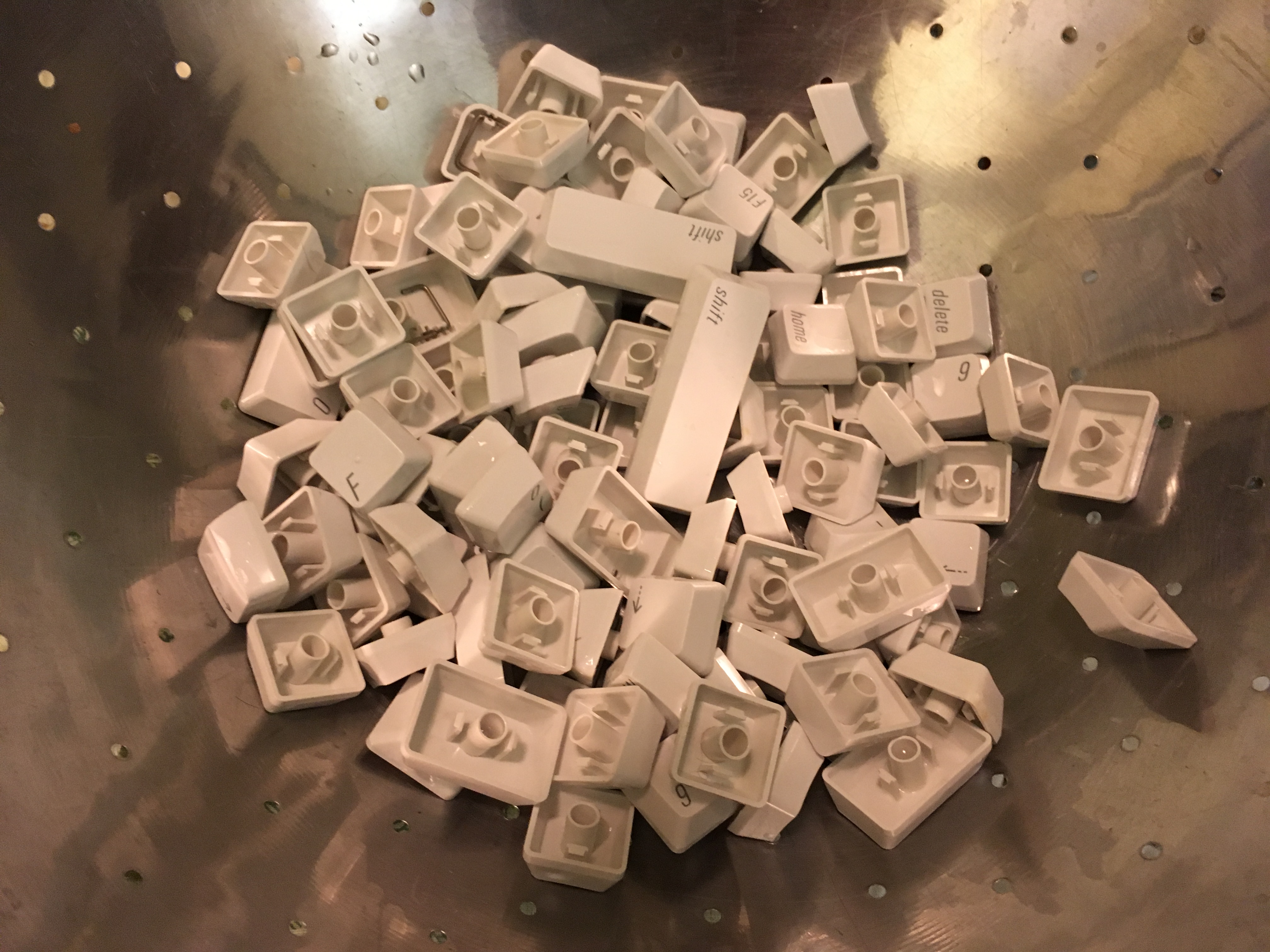
I recently decided to clean my nice Retro Apple Keyboard from all the hair build up over the years. Gross I know. The keys actually pop off very easily. I just used your average dull kitchen knife. Putting the stuff back together is time consuming, but you’ll have a brand new looking keyboard when you’re done.

img_9568

img_9570

You don’t actually have to take it apart all the way like I did. I did it before I found this how to video:

Good luck.

The All New Pebble Watch 2 Is Out

Pebble Watch 2

Brian Heater, reporting for TechCrunch:

The smartwatch landscape is virtually unrecognizable from where it was four and half years ago when Pebble first entered the scene via Kickstarter. Much of Pebble’s initial appeal was thanks to it being one of the first big players on the scene, and the startup is hoping its simplicity was a big part of its success, as well.

As such, the device doesn’t represent a huge upgrade over its predecessor. The addition of health functionality is nice, as is the overall streamlining of the hardware. Users who have been waiting for an upgrade to the baseline Pebble will appreciate the touches here and there, and certainly the $129 price point and several-days-long battery are nice touches.

But it’s hard to shake the feeling that, after all this time, the company that put smartwatches on the map really ought to be doing more to shake things up several years after it first hit the scene.

I hope they succeed, but I have yet to see anyone wearing a pebble watch in the real world.